Most businesses have spent years trying to take repetitive work off their teams’ plates. Spreadsheets came first, then workflow rules, chatbots and robotic process automation. Each wave removed a few more manual steps, but each one also needed someone to define every step in advance.
AI agents change that. Instead of following a fixed script, an agent can read a request, pull in the information it needs, choose a sensible next step and, within the limits it has been given, carry that step out. Salesforce’s Agentforce is one example: agents that work on their own for routine tasks and hand over to a person when a situation needs one.
That shifts the question leaders should be asking. “Can AI replace this employee?” is the wrong starting point. A better one is: which parts of this person’s day can an agent handle, and where does human judgment still carry the weight?
Why AI Agents Are Different from Traditional Automation
Classic automation is excellent when the rules never change. A form is submitted, so a lead is created. An invoice is approved, so the accounting record updates. A ticket is marked urgent, so a manager gets an alert. If the trigger and the outcome are both predictable, a simple workflow does the job.
Real work is messier. Requests arrive half-formed, the data sits in three different systems, and the right answer depends on context. An agent can cope with that kind of input because it reasons over the request, looks up the relevant records and chooses from a set of actions it is allowed to take. In Salesforce, those actions can call Flow, Apex, prompts or APIs, so the agent works inside the processes a company already runs rather than beside them.
Picture a sales rep at 8:30 in the morning. Normally they would trawl through email, CRM records, call notes and open opportunities to work out where to spend their day. An agent can do that sweep first: flag the deals that have gone quiet, summarise recent activity, draft follow-ups and point out accounts that look shaky. The rep still decides what to do. They just start the day with the groundwork finished.
Where AI Agents Earn Their Place
Routine Requests
A surprising share of employee time goes on questions that aren’t hard: where is my order, how many leave days do I have left, what’s the status of this account, can you change my phone number. When the data exists and the process is clear, an agent can handle the first round of these conversations and escalate if something doesn’t fit. The employee isn’t removed. They’re relieved of the part nobody enjoyed.
Information Gathering
Think of an account manager preparing for a 30-minute customer call. The meeting is short, but the preparation can swallow half a day: CRM history, earlier emails, open support cases, contract terms, product usage, internal notes. An agent can collect all of that into a one-page briefing. The human then spends their energy on understanding the customer instead of hunting through tabs. A useful way to remember the split: the agent does the searching, the person does the talking.
Work That Doesn’t Wait for Office Hours
Customers write at midnight, prospects fill in forms on Sundays, and monitoring systems flag odd events at 3 a.m. For companies serving several time zones, an agent can acknowledge the request, collect details and either resolve it or prepare it for the right person. The benefit isn’t really that software never sleeps. It’s that work no longer sits idle until someone logs in.
What People Still Do Better
A model can spot a pattern in customer data, but it may not grasp why a ten-year client has suddenly gone cold. It can suggest a discount without understanding the history between two companies. It can summarise a crisis neatly, yet a senior manager still has to decide what the company will actually do about it.
People remain essential wherever the work calls for judgment, negotiation, empathy, creativity, ethical reasoning or accountability, and wherever the situation is ambiguous enough that no one can write the rules down in advance. Agentforce itself is designed around this idea: Agentforce Coworker and specialized agents take on clearly defined work while employees handle the higher-value decisions.
Two Examples: Sales and Customer Service
Sales
When a new B2B lead arrives, a rep traditionally researches the company, checks the contact, reviews past interactions, decides if the lead is relevant, writes an intro email, schedules follow-ups, updates the CRM and tracks replies. Much of that is administration. An agent can assemble the account picture, draft the first message, update records and flag the lead. The rep then makes the calls that matter: is this worth pursuing, and how should I approach these people?
Customer Service
Order status, password resets, return policies and basic troubleshooting are ideal for an agent. Now imagine a major customer who has suffered a serious outage, has already contacted the company twice and is openly thinking of leaving. That isn’t an information request any more. It’s a relationship at risk, and it needs someone who can read the history, negotiate a fix and own the outcome. A good setup recognises that moment and hands the case to a human quickly. The goal isn’t to keep people out of the loop. It’s to bring them in at the right time.
Bringing Agents into the Systems You Already Use
For companies on Salesforce, an agent doesn’t have to be a separate tool. Rather than an employee copying information from an AI assistant into the CRM, the agent works directly with CRM data and can review a case, find the relevant account details, summarise the problem, recommend a next step, update a record, trigger a workflow or escalate to a colleague. How much of this happens depends on how the organisation has set up its environment, but the principle is the same: the AI sits inside the business process instead of next to it.
Redesign the Workflow, Not Just the Toolset
A common mistake is buying an AI product and dropping it into an existing process. If that process was clumsy to begin with, you’ve simply made a clumsy process faster. The smarter move is to take a role apart and ask what the person actually does, then match each piece to the right owner:
| Part of the Work | Best Fit |
|---|---|
| Collecting and summarising information | AI |
| Spotting patterns | AI |
| Repetitive record updates | AI |
| Routine recommendations | AI with human review |
| Negotiating with a customer | Human |
| Sensitive or high-impact decisions | Human |
| Exceptions and edge cases | Human |
Looking at a sales rep’s job through this lens, research, meeting prep and CRM updates move to the agent, lead qualification becomes shared, and conversations, negotiation and relationship management stay with the rep. The employee isn’t deleted from the picture. The low-value workload is.
Roles Will Change, Not Just Shrink
If a rep no longer spends two hours each morning on research, those hours can go to customer conversations and strategy. The same pattern shows up elsewhere:
- Marketing: less manual campaign assembly, more time on positioning and creative direction.
- Customer service: fewer basic questions, more complex and emotionally charged cases.
- HR: fewer routine policy queries, more attention on employee experience and workforce planning.
- Finance: less data preparation, more analysis and forecasting.
- IT: fewer repetitive tickets, more work on architecture, security and improvement.
Not Everything Should Be Automated
Just because an agent can do something doesn’t mean it should. Some financial approvals, HR actions, sensitive customer decisions and strategic calls are better left with people, even if the technology could technically handle them. Salesforce’s own architecture guidance builds in human review and escalation for exactly these cases. Aim for appropriate autonomy rather than maximum autonomy.
Trust and Governance Come First
An agent that only reads information carries little risk. One that edits records, emails customers or triggers business processes is a different matter, and it needs clear rules before it goes live. Ask yourself:
- What data can the agent see, and what can it change?
- Which actions need human approval?
- What should it do when it isn’t sure?
- Who reviews its decisions, and how are mistakes caught?
- Can every action be audited?
Permissions, testing, monitoring and guardrails belong in the plan from day one, not as an afterthought. Implementation guidance for Agentforce reflects this by treating planning, configuration, testing, deployment and monitoring as one lifecycle.
How to Start Without Overreaching
You don’t need to overhaul the whole company at once. A practical path looks like this:
- Pick one repetitive workflow that eats time and follows fairly consistent rules.
- Map it as it really runs today, without assuming it’s efficient.
- Separate tasks from decisions, marking what is mechanical and what needs judgment.
- Add AI where it clearly helps: gathering, summarising, recommending, routine updates.
- Set human checkpoints for review, approval and takeover.
- Measure the outcome with time saved, resolution time, error and escalation rates, customer satisfaction and revenue impact.
- Expand carefully once the first workflow proves reliable.
Keep the first measurement simple. If your reps spend part of every morning on account research, record how long that takes before the pilot and again after four weeks, then compare the two alongside error and escalation rates.
A Different Division of Labour
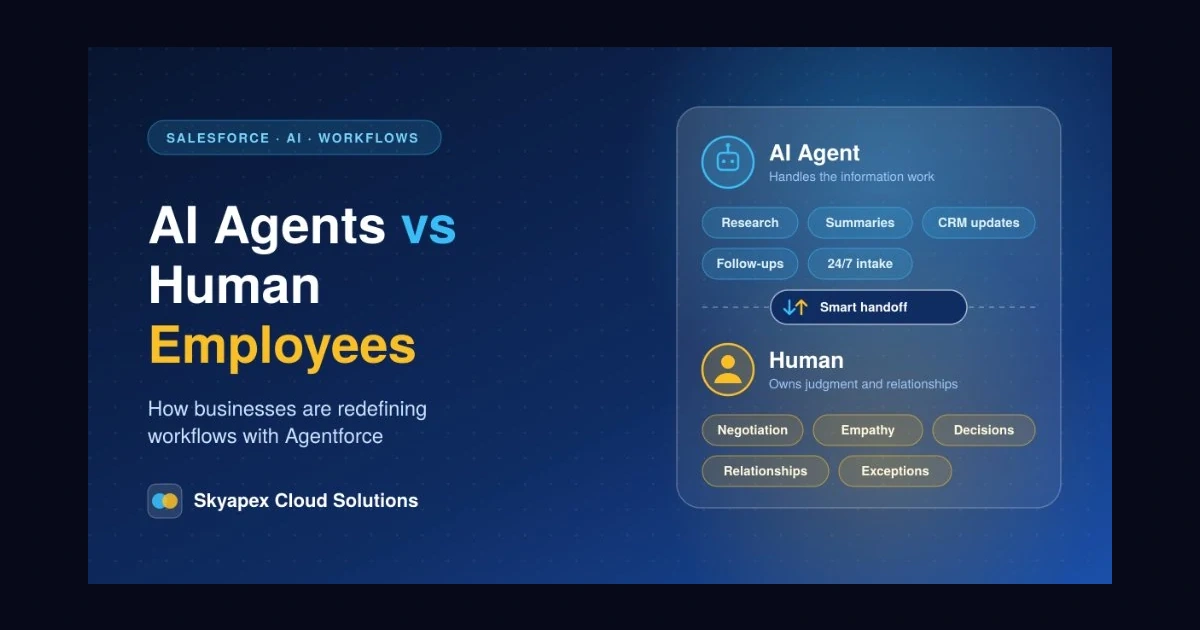
It’s tempting to frame all this as humans versus machines. What’s really happening inside businesses is quieter: work is being divided differently. Agents take the information-heavy, repetitive and always-on parts. People keep the decisions, the relationships and the situations where context decides everything.
The companies that benefit most won’t necessarily be the ones that deploy the most agents. They’ll be the ones that understand their processes well enough to know where an agent belongs, where a person belongs, and where the two should work side by side.
Not Sure Where to Begin?
A short workflow audit is usually the easiest first step: find where your team loses time to repetitive work, and decide where AI can help without loosening control.
Skyapex Cloud Solutions supports businesses with Salesforce consulting, implementation, automation, AI integrations, Agentforce, CRM optimisation and MuleSoft. Whether you’re planning your first agent or extending an existing setup, we can help you choose workflows worth automating.
Talk to Skyapex Cloud Solutions about your Salesforce and AI strategy →