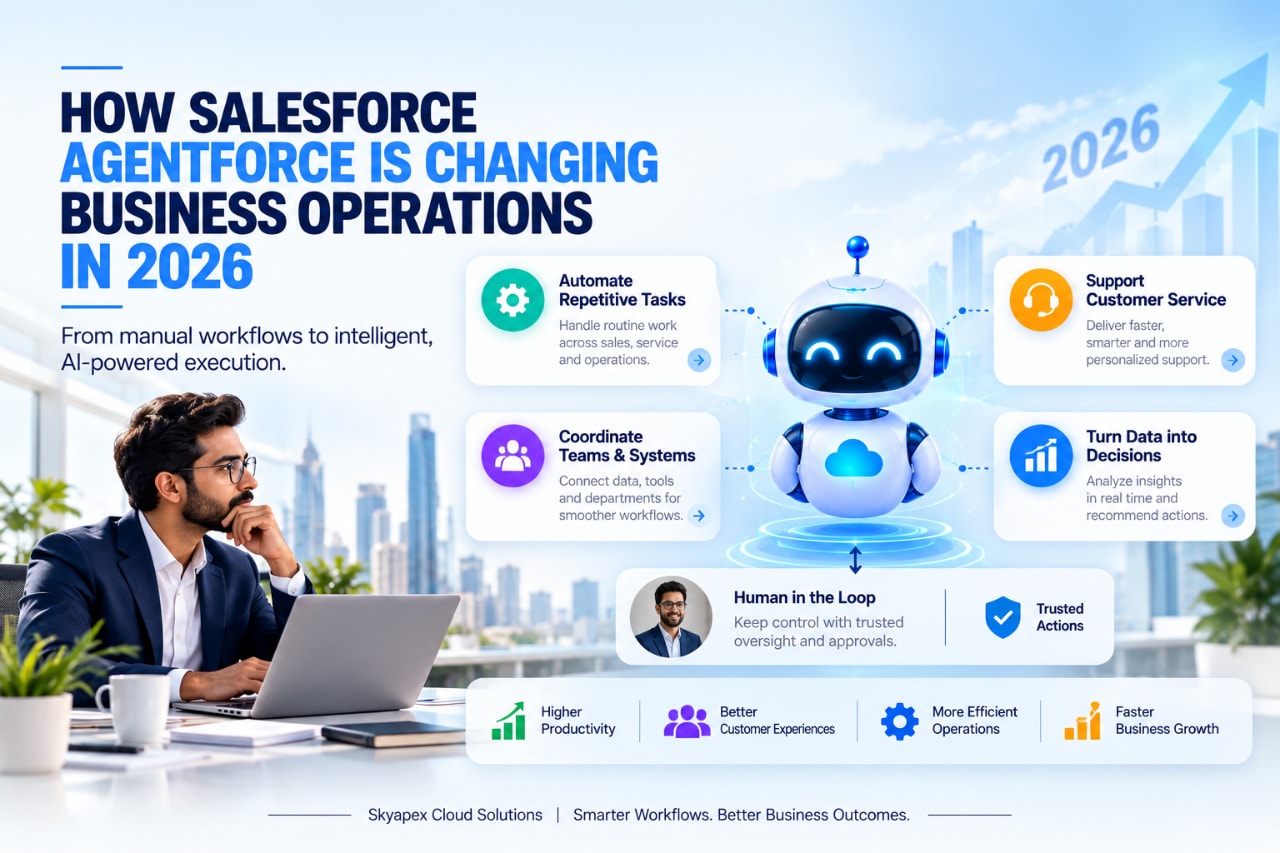
Running a business involves more than making strategic decisions. Teams spend hours responding to customer inquiries, updating CRM records, reviewing sales opportunities, and managing repetitive administrative tasks. Although these activities are essential, they often leave employees with less time to focus on customers, innovation, and business growth.
Salesforce Agentforce offers a different approach to managing these responsibilities. Instead of relying entirely on employees to complete every step of a process, businesses can introduce AI agents that work with business data, follow defined instructions, and perform approved actions.
For organizations already using Salesforce, this creates an opportunity to rethink how sales, customer service, and internal operations are managed.
But where does Agentforce fit into everyday business activities, and what should companies consider before implementing it?
Understanding Salesforce Agentforce
Salesforce Agentforce is a platform for creating and deploying AI agents that can help businesses complete tasks and manage workflows.
These agents can interpret requests, access relevant information, and use configured actions to work toward specific objectives. Their capabilities depend on the data, permissions, integrations, and business processes made available to them.
Consider a customer who wants to know why an order has not arrived. A traditional support process might require an employee to locate the customer’s account, open the order-management system, check the delivery status, and prepare a response.
An appropriately configured Agentforce agent can help retrieve the relevant information and respond to the customer. If the issue requires additional investigation, the agent can route the request to a human representative.
This is an important distinction between conversational AI and action-oriented AI.
A chatbot primarily helps users find answers. Traditional automation follows predefined rules to execute particular steps. An AI agent can interpret a request and select from available actions within established boundaries.
Agentforce brings these capabilities into the Salesforce ecosystem, where customer information and business workflows can be connected.
Why Businesses Are Exploring Agentforce in 2026
Many organizations have already invested in CRM platforms, workflow automation, and digital customer-service tools. Yet employees often continue to move between applications to gather information and complete routine work.
Agentforce creates an opportunity to reduce some of this manual effort.
Moving from Information to Action
Business teams increasingly need technology that does more than display information or generate recommendations.
For example, a sales representative may need to review an account, summarize recent interactions, identify missing qualification details, and prepare a follow-up message. An AI agent can assist with several of these steps when the appropriate data and actions are available.
This helps employees spend less time gathering information and more time using it.
Making Better Use of Salesforce Data
Customer information is valuable only when employees can access and interpret it effectively.
Salesforce stores information about customers, accounts, opportunities, service cases, and business interactions. With appropriate configuration and permissions, Agentforce agents can use relevant information to support business processes.
Organizations can also connect external data sources when additional context is required.
The quality of the underlying information remains critical. Incomplete records, outdated details, and inconsistent data can reduce an agent’s effectiveness.
Connecting AI with Existing Workflows
Introducing AI does not necessarily mean replacing an organization’s existing systems.
Businesses can build Agentforce solutions around supported Salesforce capabilities and integrate them with other applications where needed.
This allows organizations to explore AI adoption without treating every existing business process as something that must be rebuilt from scratch.
Where Salesforce Agentforce Can Make a Difference
Agentforce can support different departments depending on their operational requirements and the capabilities implemented within the Salesforce environment.
1. Customer Service: Resolving Routine Requests Faster
Customer support teams frequently receive similar questions about orders, account details, service policies, and troubleshooting.
Handling each request manually can increase workloads and delay responses to more complicated problems.
An Agentforce service agent can assist by retrieving relevant customer information, explaining available options, and initiating configured actions.
For example, when a customer asks about a delayed delivery, the agent could retrieve order information, check the available delivery status, explain the next steps, and create a support case if necessary.
Requests involving unusual circumstances, sensitive information, or exceptions to company policy can be escalated to a human representative.
This approach allows support teams to concentrate on problems that require investigation, judgment, or personal attention.
2. Sales: Reducing Administrative Work
Sales representatives need to maintain accurate CRM records while managing prospects, preparing proposals, and following up with potential customers.
These responsibilities can become difficult to balance as the number of opportunities increases.
Agentforce can help sales teams summarize account histories, retrieve opportunity information, prepare outreach drafts, and support lead qualification.
Imagine a representative preparing for a meeting with a prospective customer. An agent could summarize the available account information, highlight recent interactions, and identify unanswered qualification questions.
The representative can then review the information and decide how to approach the conversation.
The goal is to support the sales process, not remove the relationship-building skills that make effective selling possible.
3. Marketing: Supporting Campaign Execution
Marketing teams manage campaign planning, customer segmentation, content production, and performance reporting.
Agentforce can assist with selected activities by summarizing available campaign information, preparing content drafts, and supporting workflows that connect marketing and sales teams.
For instance, an agent could help identify leads that meet defined qualification criteria and prepare a summary for the sales team.
When connected to the appropriate Salesforce marketing products and data sources, agents can also support customer engagement processes.
Human review remains important for campaign strategy, brand consistency, factual accuracy, and communications that require approval.
4. Finance: Improving Document-Heavy Processes
Finance departments handle invoices, payment records, expenses, and financial reporting. Many of these activities involve comparing information across multiple records and identifying discrepancies.
Agentforce can support finance-related workflows when the required data and systems are connected.
Potential applications include summarizing outstanding invoices, retrieving payment information, identifying inconsistencies for review, and preparing payment reminders.
For example, an agent could identify a difference between an invoice and the corresponding purchase order information, then create a review request for the finance team.
Final financial approvals, accounting decisions, and sensitive transactions should remain subject to appropriate authorization and validation.
5. Human Resources: Making Employee Support Easier
Employees often contact HR for information about leave policies, benefits, onboarding, and internal procedures.
An Agentforce agent can help employees locate relevant information and navigate approved HR processes.
For example, an employee could ask how to submit a leave request. The agent could explain the applicable procedure and direct the employee to the appropriate workflow.
Depending on the implementation, agents may also assist with onboarding coordination, employee inquiries, and internal service requests.
Sensitive employee matters and decisions involving recruitment or employment should receive appropriate human oversight.
6. IT Operations: Managing Repetitive Support Requests
IT teams handle incident reports, access requests, troubleshooting questions, and routine technical issues.
An Agentforce solution can help employees find troubleshooting information, create support cases, and route requests to the appropriate technical team.
With suitable integrations and authorization, an agent may also initiate approved operational actions.
However, access to critical systems and privileged accounts should be carefully controlled. Requests involving elevated permissions or infrastructure changes may require additional verification and human approval.
7. E-Commerce: Connecting Customer Conversations with Orders
Online retailers need to manage order inquiries, returns, delivery updates, and product questions.
When connected to the relevant CRM and order-management systems, Agentforce can help retrieve information and guide customers through supported processes.
For example, an agent could explain a return policy, retrieve the status of an order, and initiate a return request when the applicable conditions are satisfied.
The exact capabilities depend on the connected systems and configured business rules.
8. Banking and Insurance: Supporting Customer Workflows
Banks and insurance providers process applications, service requests, claims, and large volumes of documentation.
Agentforce can assist with retrieving customer information, explaining application statuses, organizing service requests, and routing cases to the appropriate teams.
For example, an insurance customer could ask about a pending claim. An agent could retrieve the available status information and explain the next steps.
Decisions involving lending eligibility, insurance coverage, fraud determinations, or other high-impact matters require suitable controls and expert review.
How Agentforce Can Work with Other Salesforce Technologies
An AI agent becomes more useful when it can access relevant information and interact with the systems employees already use.
Three areas of the Salesforce ecosystem are particularly relevant.
Salesforce CRM
Salesforce CRM provides business information about customers, accounts, leads, opportunities, and service cases.
When the relevant information is accurate and accessible under the configured permissions, it can help agents understand requests in context.
Salesforce Data 360
Salesforce Data 360, formerly Salesforce Data Cloud, supports bringing together and activating data from different sources.
Depending on the configuration, this can help make relevant business and customer information available to supported Salesforce experiences.
Organizations must still address data quality, access permissions, and the suitability of the information for each use case.
MuleSoft Integration
Businesses frequently use systems outside Salesforce for finance, inventory, order management, and enterprise resource planning.
MuleSoft can help connect these applications through APIs and integration workflows.
For example, a customer-service agent may need to retrieve delivery information stored in an external order-management system. An appropriately designed integration can make that information available to the Salesforce workflow.
This reduces the need for employees to switch between applications to locate information.
Together, Salesforce CRM, Data 360, and MuleSoft can help organizations build connected solutions in which AI agents operate with relevant business context.
The appropriate architecture depends on the systems involved, integration requirements, security controls, and business objectives.
What Benefits Can Businesses Expect?
The value of Agentforce depends on how well a solution addresses a genuine operational problem.
When implemented appropriately, organizations may achieve several benefits.
Reduced manual effort: Agents can help retrieve information, prepare responses, and initiate approved actions, reducing repetitive work.
Faster customer support: Routine inquiries can be handled more efficiently, allowing employees to focus on complex cases.
Improved access to information: Employees can retrieve relevant business context without manually searching multiple records and applications.
More consistent processes: Configured instructions and workflows can help standardize the handling of recurring requests.
Better use of employee time: Teams can devote more attention to relationship management, problem-solving, and activities that require human judgment.
Support for business growth: Successful implementations can be extended to additional processes when the operational benefits justify the investment.
Businesses should measure these outcomes rather than assume that introducing AI will automatically produce cost savings or productivity improvements.
Challenges to Address Before Implementation
Agentforce can create new opportunities, but businesses need to consider several practical challenges before deploying AI agents.
Data Quality and Availability
Agents depend on the information available to them. Inaccurate CRM records, missing details, and inconsistent data can lead to unreliable results.
Organizations should review their data before implementation and establish clear responsibilities for maintaining its quality.
Security and Permissions
An agent should only have access to the information and actions necessary for its assigned responsibilities.
Companies should review user permissions, integration access, authentication, and data-protection controls.
They should also consider prompt injection, in which malicious instructions embedded in untrusted content attempt to manipulate an AI agent.
Human Approval and Accountability
Businesses must determine which actions agents can perform independently and which require approval.
For example, retrieving order information may be relatively low-risk, while issuing a substantial refund or modifying sensitive account permissions may require additional checks.
Each agent should have a clearly defined owner responsible for monitoring its performance and handling incidents.
Integration Requirements
Connecting Salesforce with external applications may require API development, data mapping, authentication configuration, and error-handling procedures.
These requirements can affect implementation timelines and ongoing maintenance costs.
Budget and Return on Investment
The total cost may include Salesforce licensing, agent usage, integration development, implementation services, testing, monitoring, and maintenance.
Organizations should estimate these expenses and compare them with the expected operational benefits.
Employee Training
Employees need to understand what an agent can do, when its responses require verification, and how to escalate unusual situations.
Training helps teams use the technology appropriately and maintain accountability.
A Practical Roadmap for Implementing Agentforce
A successful implementation starts with a well-defined business problem rather than a decision to introduce AI simply because the technology is available.
Step 1: Choose One Operational Challenge
Identify a repetitive process that consumes significant employee time.
Examples include responding to routine service inquiries, summarizing customer records, or routing incoming support requests.
A clearly defined, lower-risk process is generally a more practical starting point than an entire department’s operations.
Step 2: Evaluate Your Existing Salesforce Environment
Review the available CRM data, current workflows, user permissions, and connected applications.
Determine whether the information required by the proposed agent is available and whether any data-quality or integration issues need to be resolved.
Step 3: Define the Agent’s Scope
Document the tasks the agent should perform and the actions it must not take.
Establish rules for handling incomplete information, uncertain answers, unusual requests, and situations requiring human approval.
These boundaries should be agreed upon before development begins.
Step 4: Configure the Agent and Required Integrations
Use the appropriate Agentforce capabilities to define the agent’s instructions, responsibilities, and available actions.
Connect the necessary Salesforce records, automation workflows, and external systems.
Ensure that permissions and security controls are configured for the intended use case.
Step 5: Test Before Deployment
Test common requests, incomplete information, unexpected scenarios, and requests that should be rejected or escalated.
Verify the accuracy of responses, the appropriateness of actions, and the agent’s compliance with established permissions.
Testing should cover both successful workflows and potential failure scenarios.
Step 6: Launch a Controlled Pilot
Introduce the agent to a limited group of users or a clearly defined workflow.
Initially, employees may review drafted responses or approve consequential actions before execution.
Monitor performance and make adjustments based on actual results.
Step 7: Measure Performance and Expand Gradually
Compare the pilot’s results with the original process.
Useful metrics include average handling time, resolution rate, escalation frequency, error rate, operating cost, and customer satisfaction.
Once the agent demonstrates reliable performance, evaluate whether the same approach can support additional processes.
Frequently Asked Questions About Salesforce Agentforce
What is Salesforce Agentforce used for?
Agentforce helps businesses build AI agents that can interpret requests, access relevant information, and perform configured actions. Applications include customer service, sales support, employee assistance, and business workflow automation.
How is Agentforce different from Salesforce Einstein?
Einstein refers to Salesforce’s broader AI capabilities, while Agentforce focuses on creating and deploying AI agents. The available functionality depends on the Salesforce products and configuration being used.
Can Agentforce connect to applications outside Salesforce?
Yes. External systems can be connected through supported APIs, integrations, and configured actions. MuleSoft may be useful for connecting Salesforce with enterprise applications such as ERP, finance, and order-management systems.
Will Agentforce replace employees?
Agentforce can automate or assist with particular tasks, but it does not automatically replace entire jobs. Human judgment remains important for complex decisions, customer relationships, exception handling, and accountability.
Is Agentforce suitable for small businesses?
It can be suitable when the proposed use case, licensing, implementation effort, and operating costs align with the business’s requirements. Starting with a focused customer-service or sales-support workflow can help establish whether the investment makes sense.
How much does Salesforce Agentforce cost?
Costs vary depending on licensing, usage, connected Salesforce products, implementation requirements, and ongoing maintenance. Businesses should review current Salesforce pricing and calculate the total cost of ownership before proceeding.
Do businesses need a Salesforce implementation partner?
Not every implementation requires an external partner. However, organizations with complex workflows, multiple integrations, demanding security requirements, or limited internal Salesforce expertise may benefit from professional implementation support.
Conclusion
Salesforce Agentforce gives businesses another way to approach repetitive work, customer interactions, and operational processes.
Its value lies in connecting AI capabilities with business information and the actions employees need to complete their work. Rather than treating AI as a separate tool, organizations can explore how agents fit into their existing Salesforce environment.
The technology still requires reliable data, appropriate permissions, well-designed workflows, and clear human oversight. Without these foundations, even a technically successful implementation may fail to deliver meaningful business results.
For companies considering Agentforce, the most practical starting point is a single business process with a measurable outcome.
Identify where employees spend unnecessary time, determine which steps can be handled safely by an AI agent, and test the solution against real operational requirements.
The objective is not to automate everything. It is to use Salesforce Agentforce where it can make everyday business operations more efficient, consistent, and manageable.