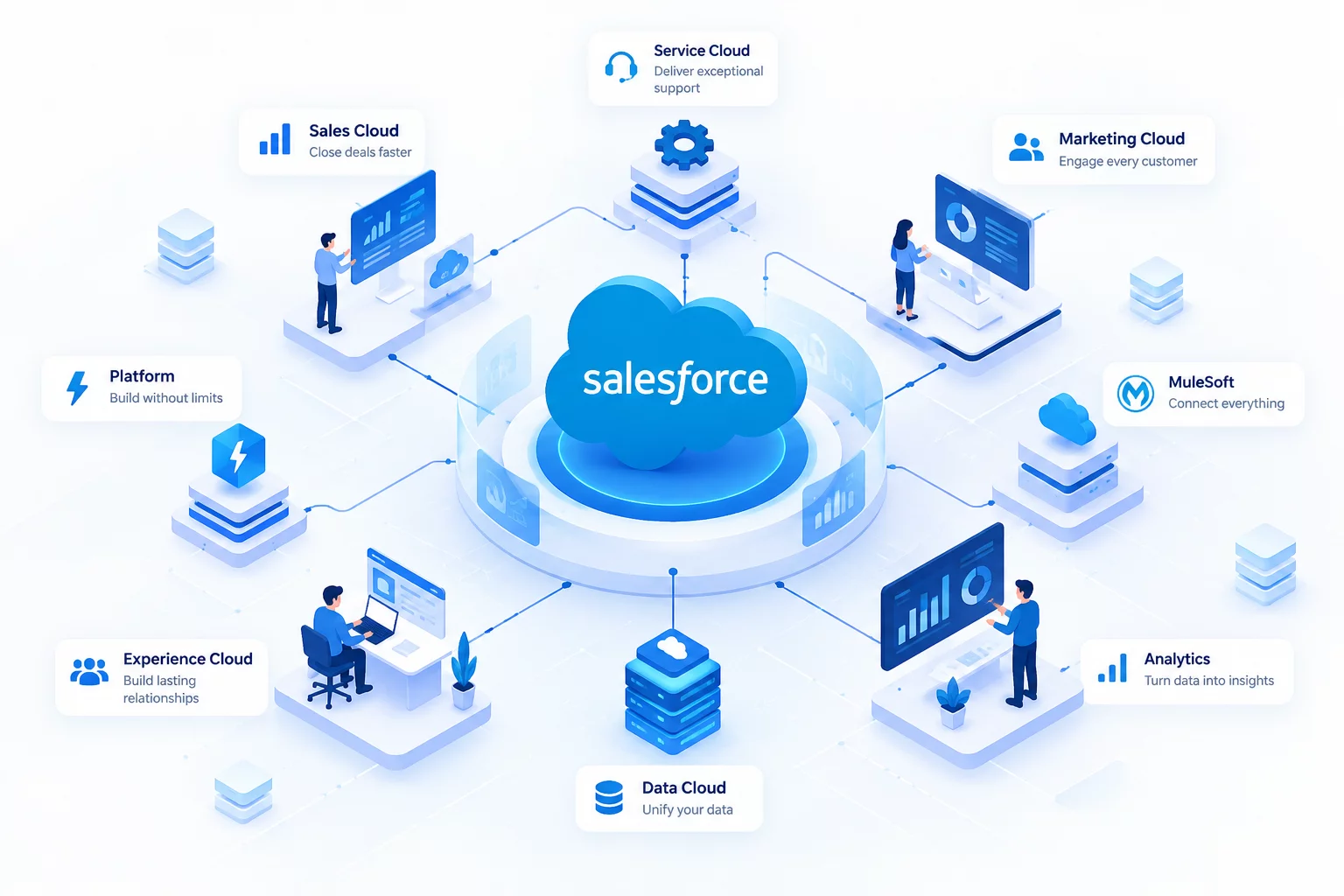
Implementing Salesforce is more than simply creating user accounts and importing customer data. A successful implementation requires clear planning, clean data, well-designed processes, user training, and continuous optimization.
Whether your organization is implementing Salesforce for the first time or improving an existing Salesforce environment, following a structured approach can help reduce risks and improve adoption.
This guide provides a practical Salesforce implementation checklist for businesses.
1.Define Your Business Goals
Before configuring Salesforce, identify exactly what you want to achieve.
Ask questions such as:
- What business problems are we trying to solve?
- Which processes are currently manual?
- Which teams will use Salesforce?
- What information do we need to track?
- Which KPIs are important?
Examples of Salesforce implementation goals include:
- Improving lead management
- Increasing sales visibility
- Automating repetitive processes
- Improving customer service
- Creating accurate reports and dashboards
- Connecting Salesforce with other business systems
Clear goals help ensure that Salesforce is configured around real business requirements.
2.Identify Your Users and Stakeholders
A successful Salesforce implementation involves more than the technical team.
Identify stakeholders from:
- Sales
- Customer service
- Marketing
- Operations
- Management
- IT
Each department may have different requirements.
For example, a sales team may need better pipeline visibility, while customer service teams may need improved case management.
Understanding these requirements before implementation can prevent unnecessary changes later.
3.Review and Clean Your Existing Data
Data migration is one of the most important parts of Salesforce implementation.
Before importing data, review:
- Duplicate records
- Missing information
- Outdated contacts
- Invalid email addresses
- Inconsistent formats
Recommended Checklist
- Remove duplicate records
- Standardize field formats
- Validate important customer information
- Archive unnecessary data
- Define ownership rules
- Create a backup
Clean data helps organizations build trust in their Salesforce reports and dashboards.
4.Design Your Salesforce Data Structure
Before creating custom fields and objects, review your business data requirements.
Define:
- Standard objects
- Custom objects
- Custom fields
- Relationships
- Record types
- Page layouts
Avoid creating unnecessary fields simply because Salesforce allows customization.
A well-designed Salesforce environment should remain simple and scalable.
5.Configure Security and User Access
Not every user needs access to every piece of information.
Define:
- User roles
- Profiles or permission sets
- Record access
- Field-level security
- Sharing rules
Security should be designed based on business responsibilities.
For example, sales representatives may need access to their own opportunities, while managers may require visibility across the team.
6.Automate Repetitive Processes
Salesforce automation can reduce manual work and improve consistency.
Consider automating:
- Lead assignment
- Follow-up reminders
- Approval processes
- Case routing
- Notifications
- Task creation
- Data updates
Before automating a process, make sure the underlying business process is clearly defined.
Automating an inefficient process can simply make the inefficiency happen faster.
7.Plan Your Integrations
Many businesses use Salesforce alongside other systems.
Common integrations include:
- ERP systems
- Marketing platforms
- Accounting software
- Customer support tools
- Communication platforms
- Data warehouses
Before building integrations, define:
- Which system owns the data?
- What information should be synchronized?
- How frequently should synchronization happen?
- How will errors be handled?
- Who will monitor the integration?
For complex enterprise integrations, tools such as MuleSoft can help connect multiple systems and manage APIs.
8.Build Reports and Dashboards
Salesforce should help teams make better decisions.
Sales
- Pipeline value
- Conversion rates
- Sales performance
- Opportunity stages
Service
- Open cases
- Resolution time
- Case volume
- Customer satisfaction
Management
- Revenue trends
- Team performance
- Forecast accuracy
Avoid creating too many dashboards. Focus on information that helps users take action.
9.Test Before Going Live
Never launch a Salesforce implementation without proper testing.
Test:
- User access
- Business processes
- Automations
- Integrations
- Reports
- Data migration
- Error scenarios
Include actual business users in the testing process whenever possible.
User acceptance testing can identify issues that technical testing may miss.
10.Train Your Users
Even the best Salesforce implementation can fail if users do not understand how to use it.
Provide training based on user roles:
- Sales representatives
- Sales managers
- Service agents
- Administrators
- Executives
Training should focus on real workflows instead of only explaining Salesforce features.
The most important question users should be able to answer is:
How does Salesforce make my daily work easier?
11.Plan Your Go-Live Strategy
Before launch, prepare a go-live checklist.
Final Go-Live Checklist:-
- Data migration completed
- User access configured
- Automations tested
- Integrations tested
- Reports validated
- Users trained
- Support team prepared
- Backup plan available
A phased rollout may be useful for larger organizations.
12.Continuously Optimize Salesforce
Salesforce implementation does not end at launch.
Business processes change over time.
Regularly review:
- User adoption
- Automation performance
- Data quality
- Security
- Integrations
- Reports
- Business requirements
Continuous optimization helps ensure that Salesforce continues to support business growth.
Salesforce Implementation Checklist Summary
Before implementing Salesforce, make sure you have:
- ✓Defined business goals
- ✓Identified stakeholders
- ✓Cleaned your data
- ✓Designed your data structure
- ✓Configured security
- ✓Planned automation
- ✓Planned integrations
- ✓Created useful reports
- ✓Tested the system
- ✓Trained users
- ✓Prepared for go-live
- ✓Planned continuous optimization
Need Help With Salesforce Implementation
A successful Salesforce implementation requires the right combination of strategy, technology, automation, integration, and user adoption.
Skyapex Cloud Solutions helps businesses design, implement, customize, integrate, and optimize Salesforce solutions based on their business requirements.
Our services include:
- Salesforce Consulting
- Salesforce Implementation
- Salesforce Customization
- Salesforce Automation
- Salesforce Integration
- MuleSoft Integration
- Salesforce Managed Services
- AI and intelligent workflow solutions
Ready to improve your Salesforce environment? Contact Skyapex Cloud Solutions to discuss your Salesforce requirements.