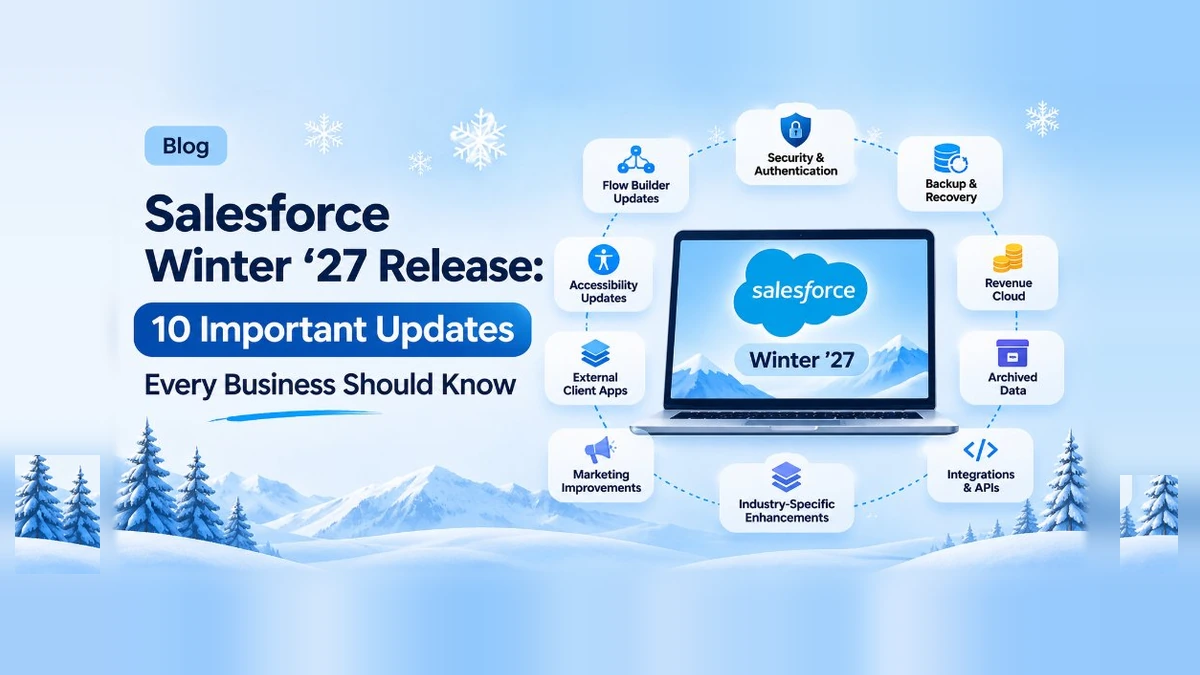
Salesforce introduces new features and improvements several times a year, but not every release gets the attention it deserves.
For most businesses, the focus is on everyday operations. Sales teams need reliable customer information, service teams need efficient workflows, and administrators want systems that are easier to maintain. As long as Salesforce is working, reviewing release notes may not seem urgent.
However, some of the most valuable improvements are also the easiest to overlook.
The Salesforce Winter ’27 release brings updates across automation, security, data protection, Revenue Cloud, application development, and other important areas of the platform.
While much of the discussion around this release has focused on artificial intelligence, several improvements are equally relevant to organizations that simply want their existing Salesforce environment to work better.
Some updates can make administrative work easier. Others introduce new security requirements or change how businesses manage integrations. There are also enhancements that can help teams handle complex transactions, recover important data, and improve everyday workflows.
For organizations already using Salesforce, understanding these changes can help them get more value from their investment without necessarily introducing additional products.
In this article, we'll explore ten important updates from Salesforce Winter ’27, explain their practical benefits, and discuss what businesses should consider before adopting them.
What Is the Salesforce Winter ’27 Release?
Salesforce delivers three major seasonal releases each year: Spring, Summer, and Winter.
These releases introduce new features, platform improvements, security enhancements, and changes to existing functionality.
The Winter ’27 release is part of Salesforce's regular update cycle, with its main release period taking place in October 2026. Although the name includes 2027, the release became available during 2026.
The updates cover a wide range of Salesforce products, including Sales Cloud, Service Cloud, Revenue Cloud, Flow Builder, Salesforce Platform, and security and identity management.
One thing businesses should understand is that not every feature becomes available in the same way. Some improvements are enabled automatically. Others require administrators to change settings, configure new functionality, or review licensing requirements. Certain security updates also have enforcement dates that extend into 2027. This makes release planning important, especially for organizations with customized Salesforce environments.
1. Salesforce Flow Builder Gets Improvements That Make Automation Easier
Automation is one of the main reasons businesses invest in Salesforce. A sales team might use automated workflows to assign leads. A customer service team might automatically create follow-up tasks. Finance teams may rely on Salesforce processes to manage approvals or update records.
Salesforce Flow Builder helps organizations create these processes without writing extensive custom code. However, as businesses introduce more automation, maintaining those workflows can become difficult. The Winter ’27 release introduces several improvements designed to make Flow Builder easier to use, organize, and troubleshoot.
Launch Screen Flows from Related Lists
One useful enhancement allows screen flows to be launched directly from related lists. Consider a company where account managers regularly need to create service requests associated with a customer account. Previously, the process might involve opening another page or navigating through several screens. With a properly configured screen flow, users can start the process directly from the relevant related list, reducing friction and unnecessary navigation.
Improved Error Detection
Troubleshooting automation can take considerable time, particularly when a flow contains several decisions, record updates, and integrations. Winter ’27 includes improvements intended to help administrators identify potential errors earlier in the development process. Finding issues before deployment reduces the likelihood of workflow failures in production.
Organize Automations with Tags
As Salesforce environments grow, organizations may accumulate hundreds of flows. Without a consistent naming and organization strategy, finding the right automation can become difficult. The ability to organize automations with tags helps administrators manage large collections of workflows more effectively—grouping flows by department, business process, or operational lifecycle.
Safer Testing Options
Salesforce is also introducing additional testing capabilities, including beta functionality. These improvements allow administrators to validate logic and test edge cases before changes affect live end users.
Why This Matters for Businesses
The biggest benefit is easier automation management and reduced technical debt. Organizations that rely heavily on Flow Builder should review these improvements, especially if they have complex workflows or frequently modify existing automations.
2. Salesforce Introduces Important Security and Authentication Updates
Security remains one of the most important responsibilities for organizations using Salesforce. CRM systems often contain customer contact information, sales records, financial details, support histories, and sensitive intellectual property. Protecting that information requires more than setting strong passwords—it demands granular control over authentication, connected applications, and user privileges.
Stronger Authentication Requirements
Salesforce continues to strengthen authentication controls, including updates involving multi-factor authentication (MFA) and single sign-on (SSO). For organizations using SSO, Salesforce has introduced a simpler configuration approach. An associated release update is scheduled for enforcement in sandboxes on January 7, 2027, and production environments on February 4, 2027. Businesses should review their configurations and test the updated behavior well in advance.
Additional Verification for Report Exports
Salesforce is strengthening protections around exporting reports. For organizations covered by the applicable release update, users may need to complete an additional authentication challenge before exporting data. This extra verification is intended to reduce the risk of unauthorized bulk data extraction, particularly where reports contain sensitive customer or financial information.
Email Domain Verification Requirements
Another release update affects organizations that previously received an exception allowing certain user email verification requirements to be disabled. Affected organizations must configure authorized email domains to maintain the exception, with enforcement scheduled for December 1, 2026.
Why This Matters for Businesses
Security updates often require administrative action even when employees notice no immediate changes. Organizations should review their authentication settings, identify applicable release updates, and confirm that critical users and integrations can continue operating without disruption. A structured Salesforce security and health check can help businesses prepare for these changes safely.
3. Salesforce Backup and Recovery Becomes More Flexible
Businesses depend on accurate Salesforce data. Customer records, opportunities, service cases, contracts, and financial logs are shared across departments. When important data is accidentally deleted, overwritten by an import, or corrupted by an automation issue, recovering it quickly becomes a business-critical priority.
The Winter ’27 release introduces enhancements to Salesforce Backup and Recover Next, focusing on locating backup information and streamlining recovery operations.
Search Backup History for Specific Records
Finding the right information in a massive backup archive can be time-consuming. Updated search capabilities help administrators locate particular records within backup history without combing through mountains of unrelated data.
Download Metadata for Deployment Tools
Salesforce environments contain both business data and configuration information. Metadata defines custom objects, validation rules, page layouts, and integrations. Winter ’27 allows metadata to be downloaded for use with modern deployment tools, accelerating environment restoration and sandbox synchronization.
Better Handling of Restore-Preview Failures
Restoring records can become complicated when hierarchical relationships exist between parent and child objects. Salesforce has introduced improvements that help administrators reload child objects that fail during restore previews, resolving incomplete recovery results without restarting the entire job.
Why This Matters for Businesses
A backup is only as good as the speed and accuracy with which you can restore data. These improvements reduce downtime and operational stress during unexpected data loss incidents. However, having improved recovery tools does not replace the need for regular backup testing.
4. Revenue Cloud Improves the Handling of Complex Transactions
Managing pricing, quotations, contracts, billing schedules, and renewals becomes increasingly complex as businesses scale—especially for subscription models or configurable products. Salesforce Revenue Cloud (CPQ & Billing) addresses these demands, and Winter ’27 introduces several performance and transaction improvements.
Support for Large Transactions
Enterprise deals often involve hundreds of line items and intricate configuration rules. Winter ’27 includes enhancements for working with large transactions, notably cloning large quotes and orders without timing out or requiring manual rebuilding.
Automated Compounding Price Increases
Multi-year subscription agreements frequently incorporate scheduled compound price escalations. Revenue Cloud now natively handles compounding price increases over multi-period terms, eliminating manual calculation spreadsheets and ensuring billing consistency.
Improved Payment Reconciliation
Reconciling lockbox payments across thousands of customer invoices requires substantial manual effort. Winter ’27 introduces automated reconciliation workflows for lockbox payments, accelerating revenue recognition for finance teams.
Additional Billing Improvements
The release also adds fine-grained control over billing schedules, automated refund processing, and transaction recovery mechanisms.
Why This Matters for Businesses
Revenue operations touch sales, finance, legal, and customer success. Streamlining quote-to-cash transactions reduces human error, shortens sales cycles, and accelerates cash flow.
5. Salesforce Introduces More Options for Managing Archived Data
Over years of continuous CRM operation, historical data naturally accumulates: closed-lost opportunities from 2019, resolved support cases, and old marketing activities. While this information remains necessary for compliance and reporting, keeping it in active production tables inflates storage costs and slows down query performance.
Easier Access to Archived Information
Salesforce Winter ’27 introduces enhancements that allow users to search and bulk-unarchive records directly from search results. When historical records are needed for a compliance audit or legal review, administrators can restore selected batches efficiently rather than handling each record manually.
Why This Matters for Businesses
A proactive data archiving strategy reduces active storage consumption, keeps Lightning list views fast, and ensures compliance with data retention regulations without losing access to historical context.
6. Salesforce Makes Improvements to Accessibility
Accessibility is a vital yet frequently overlooked aspect of enterprise software. Team members navigate Salesforce using screen readers, keyboard navigation, high-contrast themes, or high-zoom browser magnification.
Better Behavior at Higher Magnification
Winter ’27 improves how Lightning Experience interface components behave when users zoom in up to 400%. Cards, docked containers, menu lists, and modal panels now reflow adaptively to prevent horizontal scroll clipping.
Additional Interface Improvements
Updated keyboard navigation and ARIA labels have been added across date pickers, popovers, utility bars, and record highlights panels.
Why This Matters for Businesses
Accessible interfaces improve productivity and reduce fatigue for all employees. Organizations that have built custom Lightning Web Components (LWC) should test their interfaces at high zoom levels to ensure responsive reflow.
7. Salesforce Introduces Important API and Integration Changes
Salesforce rarely operates in isolation. It syncs orders with ERPs, updates accounting software, and coordinates leads with marketing platforms via APIs. Winter ’27 brings critical integration updates that IT leaders must address.
New Permission Requirement for SOAP API Login
Salesforce has introduced a release update requiring integration users who authenticate through the legacy SOAP API login() operation to have the Use Any API Auth permission assigned. Users without this permission will encounter authentication failures once enforced. Organizations should audit legacy connections and modernize them toward OAuth 2.0.
Changes to Salesforce Connect Authentication
Salesforce has announced the retirement of legacy authentication methods for the Salesforce Connect cross-org adapter. Organizations are required to migrate external data sources to Named Credentials, providing encrypted, centralized credential management.
Why This Matters for Businesses
An integration that has worked quietly for years can fail overnight if authentication policies change. Documenting your integration endpoints and testing them ahead of enforcement prevents expensive workflow interruptions.
8. Salesforce Continues Its Transition From Connected Apps to External Client Apps
Connected Apps have historically served as the standard framework for connecting third-party systems and custom code to Salesforce via OAuth. Salesforce is now actively transitioning to External Client Apps (ECA), a modern, decoupled architecture designed for enterprise packaging and granular OAuth policy management.
What Is Changing?
Salesforce has announced that official support for legacy Connected Apps is scheduled to conclude in Summer ’27. While existing Connected Apps will continue operating, new bug fixes, feature integrations, and authorization enhancements will be exclusive to External Client Apps.
Does Every Business Need to Migrate Immediately?
Not overnight, but planning should begin now. Inventory your current Connected Apps, identify internal application owners and external vendors, and prioritize mission-critical integrations for migration to External Client Apps.
Why This Matters for Businesses
External Client Apps offer superior security governance, continuous integration/continuous deployment (CI/CD) packaging, and simplified credential rotation across sandboxes and production.
9. Salesforce Introduces Updates to Marketing and Customer Communication Tools
Reaching prospects and customers directly from Salesforce receives an upgrade in Winter ’27 through the redesigned List Sends experience.
A Refreshed Approach to List-Based Communication
List Sends enables sales reps and marketers to dispatch personalized batch communications to filtered lead or contact list views. The redesigned interface streamlines template selection, preview rendering, and delivery scheduling directly within standard Salesforce workflows.
Why This Matters for Businesses
Streamlined outreach empowers frontline sales and service teams to maintain regular contact with their client base while respecting email compliance and opt-out preferences.
10. Salesforce Adds Improvements Across Industry-Specific Solutions
Salesforce continues investing in purpose-built industry architectures to eliminate the need for brittle custom code.
Manufacturing Cloud
Enhancements to warranty lifecycle management, return merchandise authorizations (RMA), and real-time inventory tracking bridge the gap between sales agreements and shop-floor ERPs.
Education Cloud
Expanded capabilities for course versioning, student payment plans, delegated parent/guardian access, and academic transfer credit evaluations.
Health Cloud
Refined patient care management, home-health visit coordination, and unified payer-provider authorization workflows.
Nonprofit Cloud
Enhanced household relationship tracking, grant funding disbursement modules, and constituent engagement scoring.
Field Service
Predictive scheduling optimization, offline mobile worker enhancements, and asset telemetry integration.
Why This Matters for Businesses
Leveraging native industry models reduces custom development costs, improves upgrade stability, and shortens project delivery timelines.
Salesforce Winter ’27: Summary of the 10 Important Updates
| Update | Main Benefit | Who Should Review It? |
|---|---|---|
| Flow Builder Improvements | Screen flows on related lists, error diagnostics, and automation tags. | Salesforce Admins & Devs |
| Security & Authentication | Simplified SSO, export verification challenges, and email domain rules. | IT & Security Teams |
| Backup & Recovery | Record-level backup search, metadata downloads, and child-object recovery. | Admins & Operations |
| Revenue Cloud (CPQ) | Large transaction cloning, compounding price increases, and lockbox reconciliation. | Sales Ops & Finance |
| Archived Data Management | Searchable archive indexes and bulk record restoration. | Data Architects |
| Accessibility Enhancements | Adaptive reflow at 400% zoom, improved ARIA navigation across components. | UX & Admins |
| API & Integration Changes | SOAP login permission requirements and Named Credentials for Connect. | Integration Engineers |
| External Client Apps | Modernized OAuth packaging ahead of Connected App Summer ’27 retirement. | App Owners & IT |
| Marketing List Sends | Redesigned batch list communication directly from CRM views. | Marketing & Sales |
| Industry-Specific Solutions | Purpose-built enhancements across Manufacturing, Health, Education, and Nonprofits. | Industry Practice Leads |
How Should Businesses Prepare for Salesforce Winter ’27?
Understanding new features is only the first step. Organizations must assess which updates matter to their business model and plan a structured rollout to prevent operational disruption.
1. Review Your Existing Configuration
Audit your active clouds, custom objects, automated flows, Apex triggers, and connected systems. Knowing your dependencies helps you pinpoint exactly which release notes impact daily workflows.
2. Check Salesforce Release Updates
Navigate to Setup → Release Updates. Review enforced deadlines, recommended actions, and test-run flags for upcoming authentication and API requirements.
3. Test Critical Workflows in a Sandbox
Always validate release updates in a Preview Sandbox before activating them in production. Test high-volume processes: lead conversion, CPQ quote generation, invoice schedules, and API syncs.
4. Review Security and Integration Dependencies
Audit connected apps, SOAP API logins, and named credentials. Confirm that integration service users possess the necessary permissions to prevent sync outages.
5. Train Employees Where Necessary
When user interfaces or common workflows change (such as launchable screen flows or List Sends), provide short visual guides and brief enablement sessions to ensure smooth adoption.
6. Monitor the Environment Post-Release
Keep a close eye on setup audit trails, API limit dashboards, and debug logs during the first 14 days following release activation to catch edge-case issues proactively.
Should Businesses Adopt Every New Salesforce Feature?
Not necessarily. New functionality should always solve an identifiable business problem rather than being turned on simply because it exists.
For example, a business with straightforward fixed-price products has little need for compounding price rule engines in Revenue Cloud. Conversely, an enterprise handling recurring multi-tier contracts may save hundreds of hours using those exact features.
Evaluate each enhancement against four criteria: operational impact, implementation effort, user adoption requirements, and potential licensing implications.
How Skyapex Cloud Solutions Can Help Businesses Get More From Salesforce Winter ’27
Navigating seasonal Salesforce releases while maintaining live enterprise operations requires specialized architectural expertise. At Skyapex Cloud Solutions, our team of 80+ certified architects and consultants helps organizations evaluate, implement, and govern their Salesforce environments.
- Release-Readiness Assessments: We audit your production org, analyze upcoming enforcement dates, and build a risk-free migration roadmap.
- Flow Architecture & Optimization: We consolidate overlapping automation rules into clean, governed Flow Builder architectures with comprehensive error handling.
- Security & Integration Governance: We help you modernize legacy Connected Apps to External Client Apps, configure Named Credentials, and enforce robust SSO and MFA guardrails.
- Revenue Cloud & CPQ Optimization: We streamline complex quotation engines, billing schedules, and lockbox reconciliation pipelines.
- 24/7 Managed Services: Our certified architects provide continuous administration, proactive health monitoring, and release management under defined SLAs.
Is Your Salesforce Environment Ready for Winter ’27?
Skyapex Cloud Solutions can help you assess your existing setup, identify relevant updates, and execute a seamless rollout that protects your data and accelerates your team.
Schedule a Strategy Consultation →Final Thoughts
The Salesforce Winter ’27 release brings pragmatic, high-value improvements across automation governance, platform security, data resilience, and industry solutions.
Rather than attempting to enable every feature at once, focus on the capabilities that remove everyday operational friction for your users. Review your release updates, test dependencies in a sandbox, and ensure your team is trained.
Frequently Asked Questions
1. What is the Salesforce Winter ’27 release?
Salesforce Winter ’27 is a major seasonal platform update introducing improvements across Flow automation, security controls, data backup and archiving, Revenue Cloud, API authentication, and industry solutions.
2. When was Salesforce Winter ’27 released?
The core Winter ’27 release rolled out across Salesforce production environments in October 2026, with certain security enforcements and feature milestones extending into early 2027.
3. Does Salesforce Winter ’27 include improvements without AI?
Yes. While AI continues to evolve, Winter ’27 delivers major platform enhancements in Flow Builder, backup search, SOAP API permissions, Revenue Cloud transaction cloning, and accessibility.
4. What is new in Salesforce Flow Builder in Winter ’27?
Highlights include launching screen flows directly from related lists, enhanced design-time error detection, custom automation tags for categorization, and advanced testing tools.
5. Are there important Salesforce security changes in Winter ’27?
Yes. Key security updates include simplified Single Sign-On (SSO) configurations, step-up verification challenges on report exports, email domain verification, and SOAP login permission requirements.
6. Do businesses need to update their Salesforce integrations?
Yes. Organizations using SOAP API authentication or legacy Salesforce Connect adapters must assign the Use Any API Auth permission and migrate to Named Credentials prior to enforcement dates.
7. What is changing with Salesforce Connected Apps?
Salesforce is transitioning from legacy Connected Apps to External Client Apps (ECA). Official support for Connected Apps concludes in Summer ’27, making it important to plan migration for custom integrations.
8. Does Winter ’27 improve Salesforce backup and recovery?
Yes. Enhancements to Backup and Recover Next allow administrators to search backup history for specific records, download metadata components, and re-attempt restore previews for related child records.
9. How can businesses prepare for Salesforce Winter ’27?
Review the official release notes, inspect Setup → Release Updates, validate changes in a Preview Sandbox, audit external integrations, and provide targeted user enablement.
10. How can Skyapex Cloud Solutions help with Salesforce Winter ’27?
Skyapex Cloud Solutions offers release-readiness audits, Flow architecture refactoring, security reviews, CPQ optimization, and dedicated 24/7 managed support to ensure smooth, compliant CRM operations.