Businesses today need more than a good product or service to remain competitive. They must understand their customers, respond to enquiries quickly, manage sales opportunities effectively, and maintain efficient internal processes. As an organization grows, handling these responsibilities through spreadsheets, disconnected applications, and manual workflows can become increasingly difficult.
Customer information may be scattered across multiple systems. Sales teams may struggle to track opportunities, managers may lack reliable performance data, and employees may spend valuable hours completing repetitive administrative tasks. These challenges can slow down operations and make it harder for businesses to deliver consistent customer experiences.
This is where Salesforce can make a difference.
Salesforce is a cloud-based customer relationship management (CRM) platform that helps businesses manage customer information, sales activities, service operations, and selected business workflows within a connected environment. Depending on the products and configuration selected, it can also support analytics, integrations, and artificial intelligence capabilities.
However, the value of Salesforce is not simply about storing information in one place. When implemented around clear business objectives, it can help organizations improve customer relationships, increase sales visibility, reduce manual work, and make better-informed decisions.
At Skyapex Cloud Solutions, we recognize that successful digital transformation begins with understanding business challenges and identifying technology that addresses them.
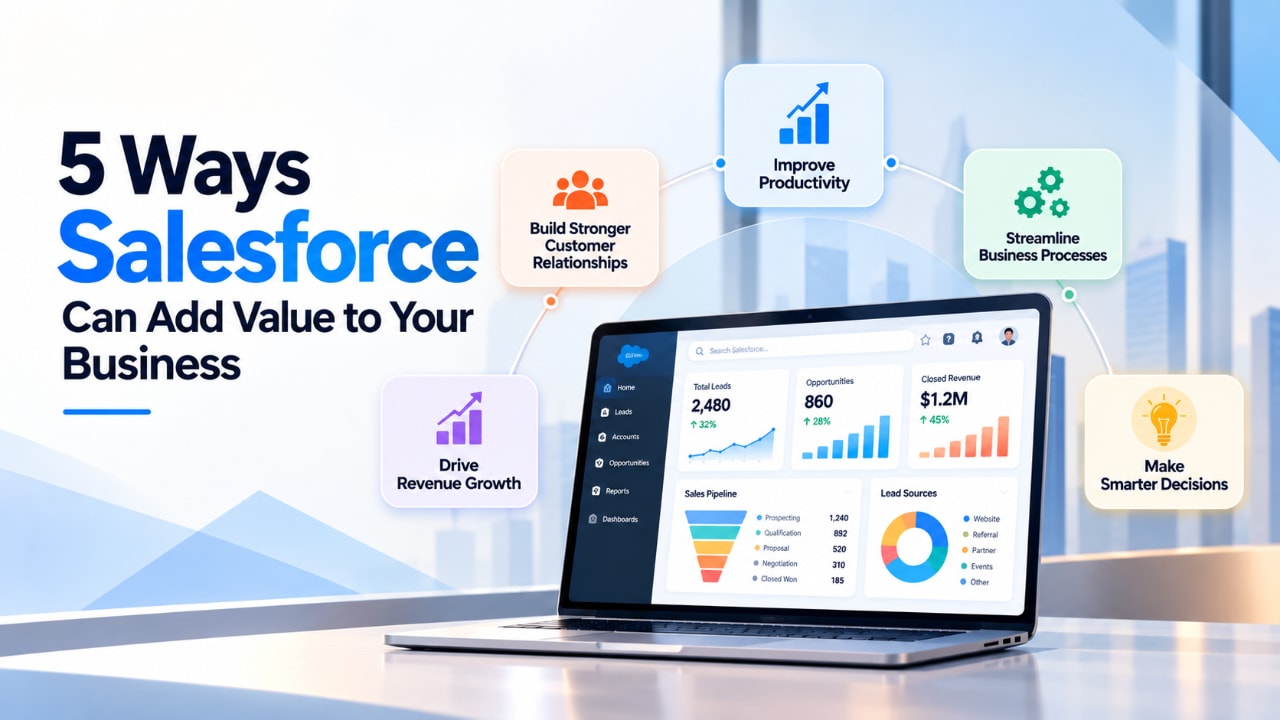
In this guide, we explore five ways Salesforce can add value to your business, practical examples of how organizations can use it, and the considerations that matter when planning an implementation.
Understanding Salesforce and Its Role in Business Growth
Before exploring its benefits, it is important to understand what Salesforce does.
Salesforce is a CRM platform that helps organizations manage relationships with prospective customers, existing customers, business partners, and other contacts.
Traditional approaches often rely on separate systems for sales tracking, customer support, communication, and reporting. A CRM can connect many of these activities, giving employees a more consistent view of customer relationships.
Salesforce offers several products and capabilities for different business requirements.
Sales Cloud: Supports lead management, opportunity tracking, sales activities, and forecasting.
Service Cloud: Provides customer service and support capabilities, including case management and service workflows. Salesforce also uses the name Agentforce Service for its evolving service offering.
Marketing Cloud: Supports marketing engagement, campaign management, and related customer communication activities, depending on the product selected.
Salesforce Flow: Helps automate business processes through configurable workflows.
Einstein and Agentforce: Provide AI-related capabilities for supported business use cases, depending on the products, configuration, and licensing.
Experience Cloud: Supports digital experiences for customers, partners, and other external audiences.
These products do not all need to be implemented together. A business may begin with the capabilities most relevant to its immediate challenges and expand its Salesforce environment as its requirements evolve.
The key is to select technology based on business needs rather than implementing features simply because they are available.
1. Improve Customer Relationship Management
Why customer information matters
Customer relationships influence sales, retention, referrals, and long-term business growth. However, maintaining those relationships becomes more challenging when information is spread across different systems.
For example, a company might store contact details in spreadsheets, sales discussions in email threads, meeting notes in documents, and support requests in a separate application.
Although employees may know where to find individual pieces of information, obtaining a complete picture of a customer can require considerable time and coordination.
This creates several challenges:
Employees may not know about previous customer conversations.
Different departments may maintain inconsistent records.
Sales representatives may miss important follow-ups.
Managers may struggle to understand customer activity.
New employees may find it difficult to learn account history.
These problems become more significant as the customer base grows and more employees become involved in customer relationships.
How Salesforce can help
Salesforce provides a centralized environment for managing customer and company records.
Depending on the implementation, employees can access account details, contact information, opportunities, activities, meeting notes, and relevant service records through connected CRM records.
Permissions and sharing rules can help ensure that employees access only the information they are authorized to see.
Consider a business that supplies technology services to corporate clients. Before an account manager contacts a customer, the manager can review previous discussions, open opportunities, and relevant support cases.
This information helps the employee understand the current relationship and prepare a more relevant conversation.
Instead of asking colleagues to gather information from multiple systems, the employee can use the available customer history to plan the next interaction.
Practical business applications
Salesforce can support customer relationship management through several activities.
Centralized customer records: Maintain consistent account and contact information.
Interaction tracking: Record relevant calls, meetings, tasks, and customer activities.
Account management: Understand relationships between customers, contacts, and business organizations.
Team collaboration: Help authorized employees access relevant customer information across departments.
Mobile access: Allow employees to review and update information while working remotely or visiting customers.
The exact capabilities available depend on the Salesforce products, integrations, and permissions configured.
Business value
A more organized CRM environment can help reduce time spent searching for information, improve coordination, and make customer interactions more consistent.
It can also reduce dependence on individual employees as the sole holders of important customer knowledge.
For growing businesses, the objective is to make customer information more accessible, consistent, and useful across the organization.
2. Improve Sales Performance and Lead Conversion
Why lead management becomes difficult
Generating enquiries is only the beginning of the sales process. Businesses must also respond to prospects, understand their requirements, qualify opportunities, and maintain consistent follow-ups.
When these activities are managed manually, important enquiries can be overlooked.
For example, a company may receive leads through its website, social media, email, referrals, and industry events. Different employees may handle each channel, making it difficult to maintain a consistent process.
A prospect might receive an initial response but never receive a follow-up. Another may remain unassigned because nobody knows which employee is responsible.
Without reliable tracking, managers may also struggle to understand which marketing channels generate qualified opportunities and which parts of the sales process need improvement.
How Salesforce can help
Salesforce Sales Cloud provides tools for organizing sales activities from the initial enquiry through opportunity management.
Businesses can configure supported integrations to capture leads, assign responsibility, create follow-up tasks, and track progress through defined sales stages.
Key capabilities include:
Lead management: Maintain records of prospects and track their progress through the sales process.
Automated assignment: Route leads according to defined criteria, such as territory, product, or team responsibility.
Follow-up reminders: Help sales representatives manage tasks and respond to prospects within agreed timeframes.
Opportunity management: Track potential deals, estimated values, sales stages, and expected closing dates.
Sales forecasting: Consolidate pipeline information to help managers estimate future revenue.
Performance dashboards: Monitor lead activity, conversion rates, and pipeline progress.
Depending on the products and configuration, AI-assisted capabilities may also help prioritize leads or support selected sales activities.
Practical example
Imagine a business that receives enquiries through its website every day.
Without a structured CRM, employees may manually copy contact details into spreadsheets, assign leads through email, and create reminders using separate tools.
With Salesforce configured around the company’s sales process, supported website integrations can create lead records automatically. Assignment rules can direct enquiries to appropriate representatives, while tasks and reports help managers monitor follow-up activity.
Managers can then identify whether leads are being handled promptly and investigate where prospects are leaving the sales process.
Business value
A structured sales process can help businesses:
Improve visibility into sales opportunities.
Establish clearer responsibility for leads.
Reduce the risk of missed follow-ups.
Identify delays in the sales pipeline.
Evaluate marketing sources and conversion performance.
Support more informed revenue planning.
Salesforce does not guarantee higher sales. Results still depend on product quality, market demand, sales strategy, employee performance, and customer needs.
Its value lies in helping businesses manage sales activities more consistently and understand where improvements are needed.
3. Automate Repetitive Work and Improve Operational Efficiency
The hidden cost of manual processes
As organizations expand, routine administrative activities can consume a growing share of employee time.
Employees may repeatedly enter information into different systems, send similar emails, create reminders, update spreadsheets, and coordinate approvals manually.
Individually, these tasks may appear insignificant. Across a team, however, they can create considerable administrative overhead.
Manual workflows can also introduce inconsistent results, increase the likelihood of errors, and delay activities that depend on several people.
For example, a company onboarding a new customer might require employees to notify multiple departments, create tasks, update records, and send standard communications.
When every step depends on manual coordination, the process can become slow and difficult to monitor.
How Salesforce can help
Salesforce offers automation capabilities that help organizations standardize repetitive activities.
Salesforce Flow is a configurable tool for building workflows that respond to defined conditions and events.
Depending on the requirements, businesses can automate activities such as:
Creating a task when an opportunity reaches a particular stage.
Routing approval requests to the appropriate manager.
Generating onboarding tasks after a sale is completed.
Sending notifications when deadlines approach.
Updating records when specified conditions are met.
Reminding employees when required actions remain incomplete.
Salesforce can also connect with other applications through supported integrations, helping reduce repeated data entry between systems.
More complex requirements may require custom development, additional products, or specialist configuration.
Practical example
Consider a company that manually coordinates customer onboarding after closing a deal.
A sales representative sends an email to the delivery team, creates a checklist, updates a spreadsheet, and reminds colleagues about outstanding tasks.
An appropriately configured Salesforce workflow could initiate several of these activities when the opportunity reaches the agreed stage.
The workflow might create tasks, notify responsible employees, and update related records.
Employees would still manage activities that require judgment, but routine coordination could become more consistent.
Business value
Automation can help businesses:
Reduce repetitive administrative work.
Improve consistency across workflows.
Reduce certain manual errors.
Clarify task ownership.
Improve visibility into operational progress.
Allow employees to focus on higher-value activities.
However, automating an inefficient process can simply make the inefficiency happen faster. Businesses should review their workflows before deciding what to automate.
The best starting point is to identify repetitive activities that consume significant time and have clear, measurable outcomes.
4. Deliver Better Customer Service and Support
Why customer service becomes more complex
As a business grows, the volume and variety of customer requests often increase.
Customers may contact the company through email, telephone, web forms, messaging platforms, or other supported channels. Different teams may handle different types of requests, making coordination more challenging.
Without a shared process, customer issues may remain unresolved for too long, employees may struggle to find previous conversations, and managers may have limited visibility into outstanding cases.
Customers may also need to repeat information when interacting with different representatives.
These experiences can affect customer satisfaction and make service operations harder to manage.
How Salesforce can help
Salesforce provides customer service capabilities through Service Cloud and its evolving Agentforce Service offering.
Businesses can use case management to record customer issues, assign responsibility, monitor progress, and maintain relevant interaction history.
Depending on the configuration, service teams can use:
Case management: Track requests from initial contact through resolution.
Case routing: Direct requests to appropriate employees or teams.
Service console: Provide representatives with access to relevant customer and case information.
Knowledge management: Help employees locate consistent answers to common questions.
Service reporting: Monitor case volumes, response times, resolution times, and recurring issues.
Workflow automation: Trigger notifications or actions when defined conditions are met.
Supported AI capabilities may also assist with selected service activities, such as answering routine questions or helping employees review case information. Availability depends on the products, configuration, and licensing.
Practical example
Suppose a customer contacts a technology services company about an unresolved technical issue.
Without centralized case tracking, the customer may need to explain the problem again when contacting another representative.
With an appropriately configured Salesforce service process, the request can be recorded as a case with a status, owner, and relevant history.
An authorized representative can review the available information, understand previous actions, and continue the resolution process.
Managers can also review outstanding cases and identify requests that need additional attention.
Business value
A structured service environment can help businesses:
Maintain clearer ownership of customer issues.
Track requests more consistently.
Improve visibility into unresolved cases.
Identify recurring problems.
Monitor service performance.
Support more consistent customer communication.
Better service management can contribute to stronger customer relationships, although retention also depends on product quality, pricing, reliability, and the overall customer experience.
The goal is to give service teams the information and processes they need to handle customer requests more effectively.
5. Make Better Decisions With Reporting, Analytics, and AI
Why business visibility matters
Business leaders need reliable information to understand performance and plan their next steps.
However, when data is spread across disconnected systems, obtaining a clear picture of the business can require extensive manual work.
Managers may struggle to determine which leads convert most effectively, which sales opportunities are at risk, how quickly customer requests are resolved, or where operational bottlenecks occur.
Without reliable reporting, decisions can become overly dependent on assumptions and incomplete information.
How Salesforce can help
Salesforce provides reporting and dashboard capabilities that help businesses organize relevant operational information.
Depending on the configuration, reports can track:
Sales pipeline value.
Lead conversion rates.
Opportunity win rates.
Revenue against targets.
Sales activity.
Customer support volumes.
Response and resolution times.
Other business-specific performance indicators.
Dashboards can present selected metrics in a more accessible format, helping managers monitor performance and identify areas that need investigation.
The quality of these insights depends on accurate records, consistent data entry, and appropriate metric definitions.
The role of artificial intelligence
Salesforce also offers AI-related capabilities through Einstein and Agentforce.
Depending on the products and configuration, these capabilities can support selected tasks involving customer communication, information summarization, workflow assistance, and interactions with customers or employees.
For example, an appropriately configured AI capability might help a sales representative prepare a summary of relevant customer interactions before a meeting.
A service workflow might use AI to assist with routine enquiries, with a human representative handling requests that require additional judgment.
AI capabilities should be evaluated carefully, with appropriate access controls, testing, monitoring, and human oversight for important decisions.
Businesses should also confirm which capabilities are included in their selected products and which require additional licensing or configuration.
Business value
Reporting, analytics, and suitable AI capabilities can help businesses:
Monitor performance against objectives.
Identify sales and service bottlenecks.
Reduce time spent compiling reports.
Improve visibility into business operations.
Support better-informed planning.
Explore opportunities to improve selected workflows.
The value comes from turning reliable business information into useful decisions, rather than simply collecting more data.
How Salesforce Can Support Different Business Functions
Salesforce can support different teams, but the benefits depend on each department’s requirements and the products implemented.
Sales: Lead and opportunity management. Value: Better pipeline visibility and follow-up coordination.
Marketing: Campaign management and connected customer data. Value: Improved campaign tracking and audience management.
Customer service: Case management and service workflows. Value: Better visibility into customer requests.
Operations: Workflow automation and task management. Value: More consistent execution of routine processes.
Management: Reports and dashboards. Value: Better visibility into business performance.
Customer and partner engagement: Digital experiences and portals. Value: More structured access to selected information and services.
Not every organization needs all these capabilities. A focused implementation that addresses a few important problems may be more appropriate than introducing multiple products at once.
How Skyapex Cloud Solutions Can Help Businesses Get More From Salesforce
Selecting Salesforce is only one part of a successful CRM initiative. Businesses also need to understand their operational requirements, prepare their data, define workflows, and plan how employees will use the system.
Skyapex Cloud Solutions helps businesses explore Salesforce consulting and digital transformation solutions aligned with their operational needs and growth objectives.
Our approach focuses on identifying business challenges and evaluating technology capabilities that can address them effectively.
Depending on your requirements and project scope, Salesforce-related initiatives may involve the following areas.
Salesforce consulting
Understanding your business processes, customer management requirements, and operational challenges is an important first step.
A structured assessment can help identify which Salesforce capabilities are relevant to your objectives and which requirements should be addressed first.
Implementation planning
A practical implementation plan establishes the initial scope, priorities, responsibilities, and success measures.
It can also identify dependencies involving existing applications, customer data, employee training, and business processes.
CRM optimization
Organizations already using Salesforce may benefit from reviewing their existing configuration, workflows, reporting, and user experience.
Optimization can help identify unnecessary complexity and opportunities to improve how the system supports daily operations.
Workflow automation
Businesses can evaluate repetitive processes to determine which activities may benefit from Salesforce automation.
The objective is to improve consistency and reduce unnecessary manual work while maintaining appropriate controls.
AI integration
Organizations interested in AI can assess where suitable capabilities may support customer interactions, internal workflows, and employee productivity.
The right approach depends on business requirements, available data, security considerations, and the capabilities of the selected products.
Start with your business objectives
At Skyapex Cloud Solutions, the focus should be on connecting technology decisions to measurable business needs.
Rather than implementing features simply because they are available, businesses should prioritize the challenges that have the greatest impact on productivity, customer relationships, and operational performance.
Looking to explore Salesforce for your business?
Visit Skyapex Cloud Solutions to learn more about our services and discuss your Salesforce requirements.
How to Get Started With Salesforce: A Practical Approach
A successful implementation begins with clear objectives and a manageable scope.
The following steps provide a useful starting point.
Step 1: Identify your main challenges
List the problems you want to solve.
These might include inconsistent lead follow-ups, fragmented customer information, time-consuming administrative work, or limited visibility into customer support.
Prioritize the challenges that create the greatest operational or financial impact.
Step 2: Define measurable goals
Translate your challenges into specific objectives.
For example, you might aim to reduce lead response times, improve the completeness of customer records, or reduce the time required to prepare sales reports.
Record your current performance so that you can compare results after implementation.
Step 3: Review your existing systems and data
Identify where customer information is stored and which applications need to exchange information with Salesforce.
Clean duplicate records, standardize important fields, and determine which data should be migrated.
Step 4: Select the appropriate Salesforce capabilities
Evaluate which products and features address your requirements.
A business focused on sales may begin with lead and opportunity management, while a company facing support challenges may prioritize service workflows.
Choose capabilities according to your needs, budget, and long-term plans.
Step 5: Configure and test the initial solution
Set up the essential records, permissions, workflows, reports, and integrations.
Test the system using realistic business scenarios before introducing it to a wider group of employees.
Step 6: Train employees and introduce the system
Provide practical training and explain how Salesforce supports employees’ responsibilities.
Gather feedback, address problems, and establish clear expectations about maintaining customer and business information.
Step 7: Measure performance and improve
Review the metrics established during planning.
Identify what has improved, which problems remain, and what should be addressed next.
Expand the implementation gradually as new requirements emerge.
Common Mistakes Businesses Should Avoid
Salesforce can provide valuable capabilities, but the way it is implemented can influence the results.
Implementing without clear objectives
Choosing technology before identifying the business problem can lead to unnecessary features and unclear priorities.
Define the desired outcomes before deciding what to configure.
Migrating poor-quality data
Moving inaccurate or duplicated information into Salesforce can undermine confidence in the system.
Clean and validate data before migration.
Automating inefficient processes
Automation will not automatically improve a poorly designed workflow.
Review the process first and simplify unnecessary steps before automating it.
Ignoring employee adoption
Employees need training, practical workflows, and clear expectations.
Involve users during planning and testing to identify problems early.
Introducing too much complexity
Excessive customization can increase implementation effort and ongoing maintenance requirements.
Start with essential capabilities and expand when the business case is clear.
Failing to measure results
A completed implementation does not necessarily mean the business has achieved its objectives.
Track meaningful indicators and use the findings to guide improvements.
Frequently Asked Questions About Salesforce
1. What are the main benefits of Salesforce for businesses?
Salesforce can help organizations manage customer relationships, track sales opportunities, automate selected workflows, organize customer support, and monitor performance through reports and dashboards.
The results depend on the implementation, business requirements, and employee adoption.
2. Is Salesforce suitable for small and medium-sized businesses?
Salesforce offers products for different business requirements. Smaller organizations should evaluate their budgets, operational complexity, user needs, and growth plans before selecting a solution.
3. Can Salesforce help improve sales performance?
Salesforce can support lead management, follow-up tracking, opportunity visibility, and forecasting.
Actual sales results also depend on market demand, pricing, sales strategy, product quality, and employee execution.
4. Can Salesforce automate business processes?
Yes. Salesforce Flow and other supported capabilities can automate many routine activities, including task creation, notifications, approvals, and record updates.
More complex requirements may require additional configuration or custom development.
5. Does Salesforce support artificial intelligence?
Yes. Salesforce offers AI-related capabilities through Einstein and Agentforce. Available functionality depends on the selected products, configuration, licensing, and intended use case.
6. How long does Salesforce implementation take?
Implementation timelines depend on scope and complexity.
A focused implementation for one team may take several weeks, while a larger project involving multiple departments, integrations, and custom development may take several months or longer.
7. How can businesses measure the value of Salesforce?
Businesses can measure results using indicators such as lead response time, conversion rates, forecast accuracy, administrative workload, and customer service performance.
The most useful metrics are those directly connected to the original implementation objectives.
8. Should a business implement every Salesforce product at once?
Not necessarily. A phased approach allows businesses to focus on immediate requirements, evaluate the results, and expand as their needs evolve.
The appropriate scope depends on business objectives, technical requirements, budget, and available resources.
Final Thoughts
Salesforce can add value to businesses by improving customer relationship management, organizing sales activities, automating repetitive processes, strengthening customer support, and supporting better-informed decisions.
However, meaningful results require more than purchasing a CRM subscription. Businesses need clear objectives, reliable data, suitable workflows, employee participation, and a commitment to ongoing improvement.
For some organizations, the greatest value may come from centralizing customer information. Others may benefit more from structured sales management, service workflows, or selected automation capabilities.
The right approach begins by understanding the challenges your business needs to solve and evaluating which Salesforce capabilities can address them effectively.
At Skyapex Cloud Solutions, our focus is on helping businesses explore technology solutions that align with their operational needs and growth objectives.
By combining thoughtful planning with appropriate implementation and continuous optimization, organizations can work toward stronger customer relationships, more efficient processes, and better business visibility.
Start by identifying your most important business challenges, define measurable objectives, and build a Salesforce strategy around the outcomes that matter most.